> ## Documentation Index
> Fetch the complete documentation index at: https://docs.polywin.bot/llms.txt
> Use this file to discover all available pages before exploring further.
# Add Leaders
> Pick the wallets you want to copy.
A leader is any Polymarket wallet. Each strategy holds up to **50 leaders** — every one of their trades will be mirrored under the strategy's rules.
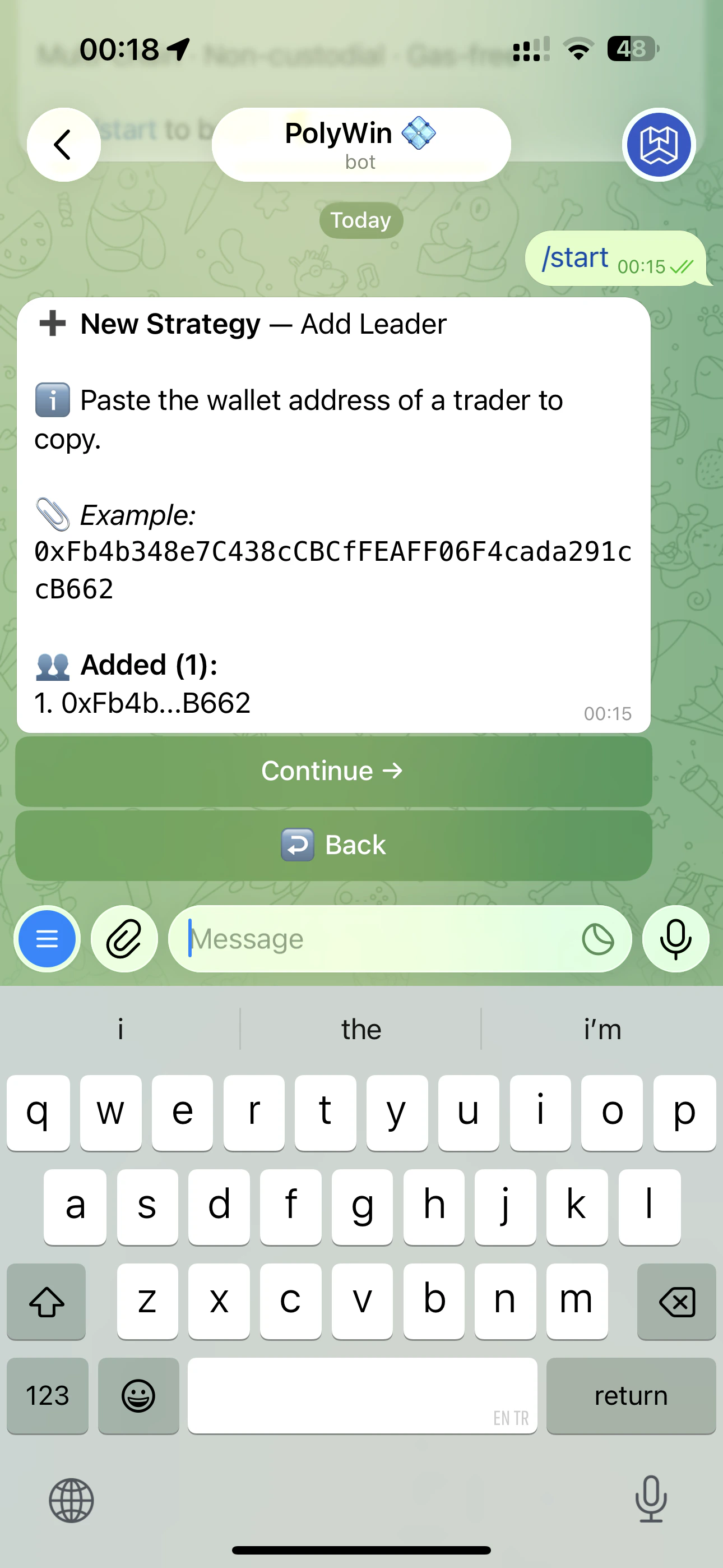
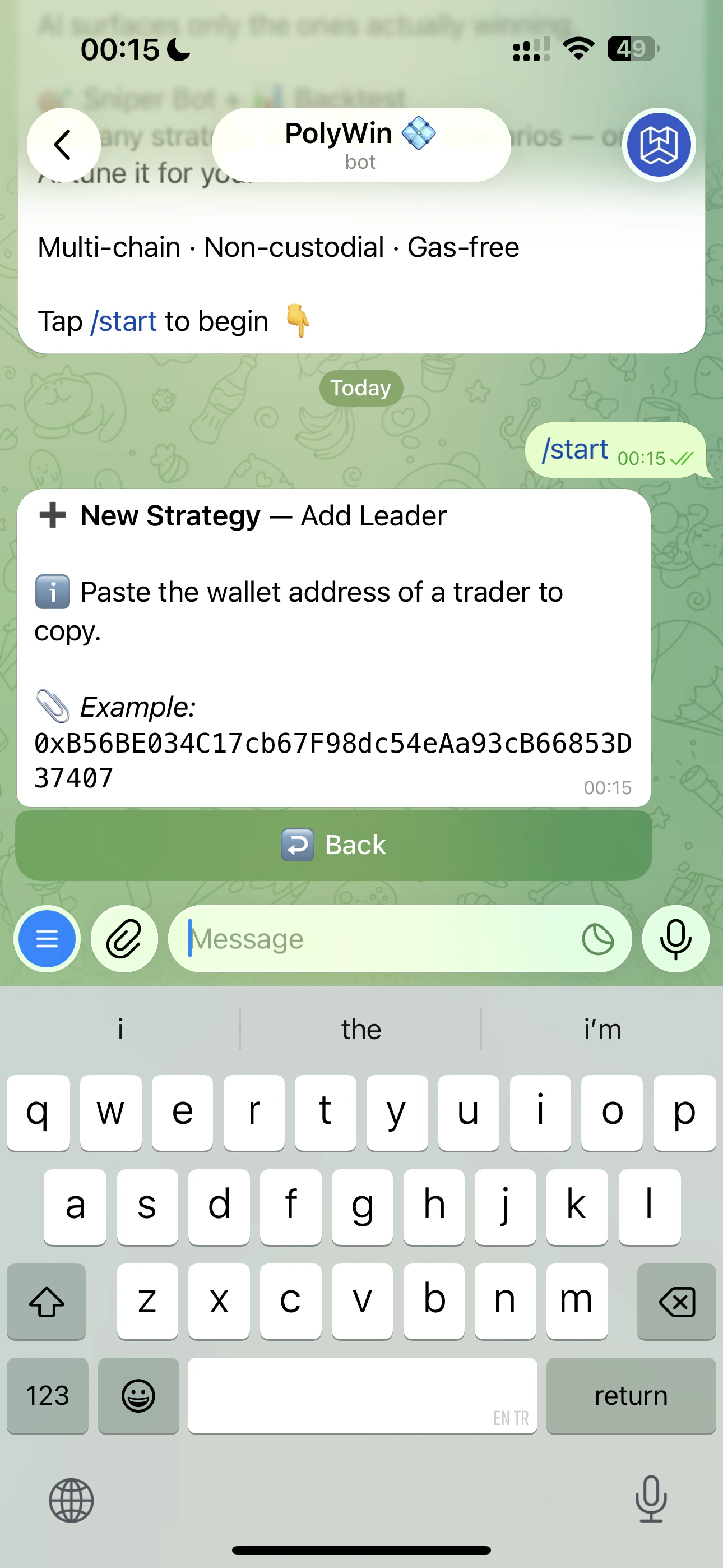 After you paste, PolyWin verifies the address on-chain and adds it to the strategy. You can paste more addresses one after another, then tap **Continue →** to move on.
 ## Three ways to add a leader
Open the strategy → **Add Leader** → paste any Polymarket wallet address. PolyWin verifies it on-chain and pulls their stats.
Browse [AI Picks](/ai-picks/overview), open any trader, and tap **Copy** — pick the strategy to attach them to.
Open the [Hall of Fame](/hall-of-fame/overview) leaderboard, tap any trader, then **Copy**.
## Manage leaders
Open the strategy's expanded view (tap the strategy card from the Copy Trade Hub) to see every leader you're following, with per-leader stats and quick actions.
## Three ways to add a leader
Open the strategy → **Add Leader** → paste any Polymarket wallet address. PolyWin verifies it on-chain and pulls their stats.
Browse [AI Picks](/ai-picks/overview), open any trader, and tap **Copy** — pick the strategy to attach them to.
Open the [Hall of Fame](/hall-of-fame/overview) leaderboard, tap any trader, then **Copy**.
## Manage leaders
Open the strategy's expanded view (tap the strategy card from the Copy Trade Hub) to see every leader you're following, with per-leader stats and quick actions.
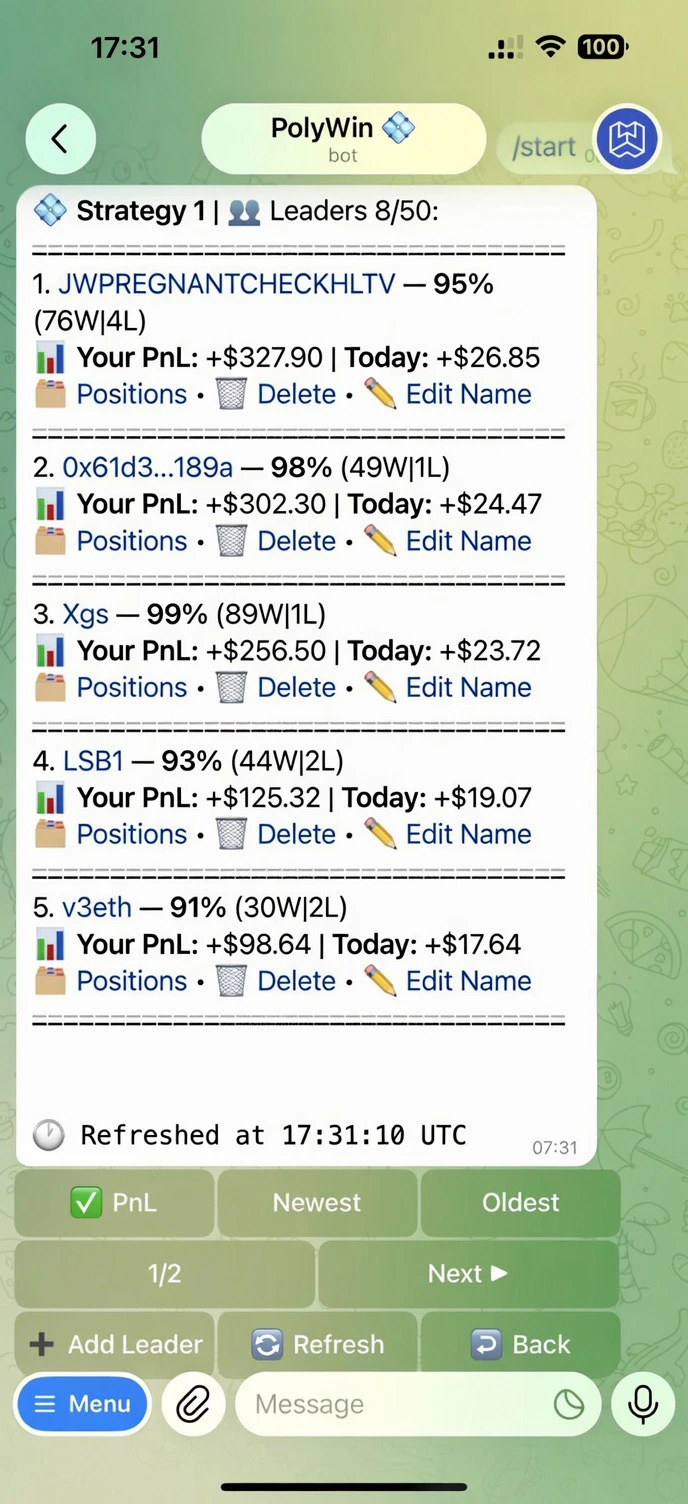 Each leader card shows their **win rate**, **win/loss count**, and **your PnL** from copying them — both all-time and today. Per-leader actions:
* **📂 Positions** — open the positions list scoped to that one leader
* **🗑 Delete** — remove the leader (existing copied positions stay open)
* **✏️ Edit Name** — give the leader a nickname for your own reference
Sort tabs at the bottom: **PnL · Newest · Oldest**. Leaders are paginated 5 per page.
PolyWin auto-removes leaders that go inactive. You can configure the inactivity window in the strategy settings.
Each leader card shows their **win rate**, **win/loss count**, and **your PnL** from copying them — both all-time and today. Per-leader actions:
* **📂 Positions** — open the positions list scoped to that one leader
* **🗑 Delete** — remove the leader (existing copied positions stay open)
* **✏️ Edit Name** — give the leader a nickname for your own reference
Sort tabs at the bottom: **PnL · Newest · Oldest**. Leaders are paginated 5 per page.
PolyWin auto-removes leaders that go inactive. You can configure the inactivity window in the strategy settings.