> ## Documentation Index
> Fetch the complete documentation index at: https://docs.polywin.bot/llms.txt
> Use this file to discover all available pages before exploring further.
# Create a Strategy
> Set up your first copy strategy in under a minute.
A strategy is a container for the leaders you copy and the rules you copy them under — sizing, price range, filters, and limits. The bot walks you through each step.
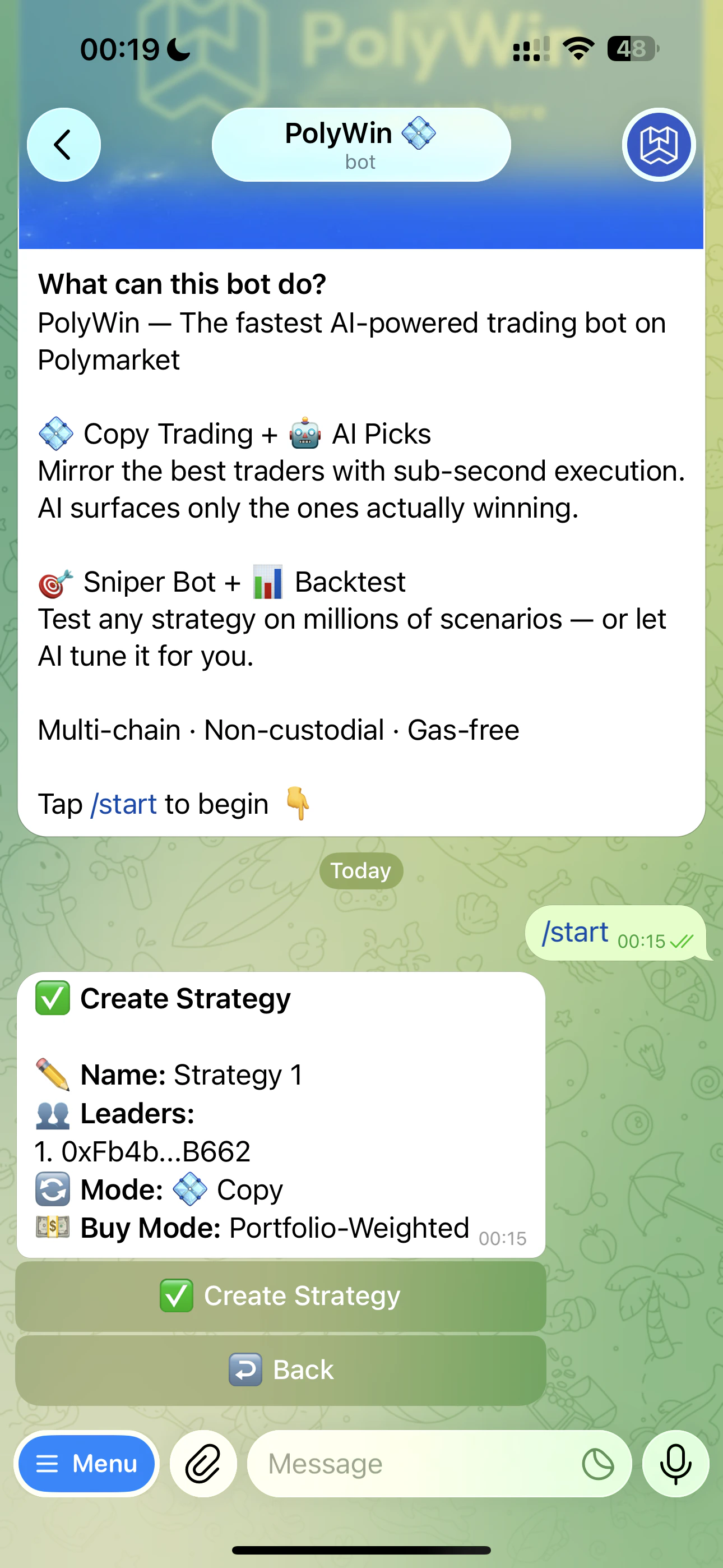 Tap **💠 Copy Trade** from the main menu, then **➕ Add Strategy**.
Paste a Polymarket wallet address. PolyWin verifies it on-chain. You can add more leaders later. See [Add Leaders](/copy-trade/add-leaders).
Pick anything — "Sports Mirror," "Safe Bets," whatever helps you find it later. Max 50 characters.
Fixed dollar, percentage of leader's trade, or Portfolio-Weighted. See [Sizing Modes](/copy-trade/sizing-modes).
Presets `0.3x · 0.5x · 1x · 2x · 5x · 10x` or set any custom value from `0.01` to `10`. `1x` mirrors exactly.
Filter out trades outside your comfort zone — e.g. `5¢–95¢` to skip both very long-shots and near-resolutions. See [Filters](/copy-trade/filters).
Review the summary and tap **✅ Create Strategy**.
Tap **💠 Copy Trade** from the main menu, then **➕ Add Strategy**.
Paste a Polymarket wallet address. PolyWin verifies it on-chain. You can add more leaders later. See [Add Leaders](/copy-trade/add-leaders).
Pick anything — "Sports Mirror," "Safe Bets," whatever helps you find it later. Max 50 characters.
Fixed dollar, percentage of leader's trade, or Portfolio-Weighted. See [Sizing Modes](/copy-trade/sizing-modes).
Presets `0.3x · 0.5x · 1x · 2x · 5x · 10x` or set any custom value from `0.01` to `10`. `1x` mirrors exactly.
Filter out trades outside your comfort zone — e.g. `5¢–95¢` to skip both very long-shots and near-resolutions. See [Filters](/copy-trade/filters).
Review the summary and tap **✅ Create Strategy**.
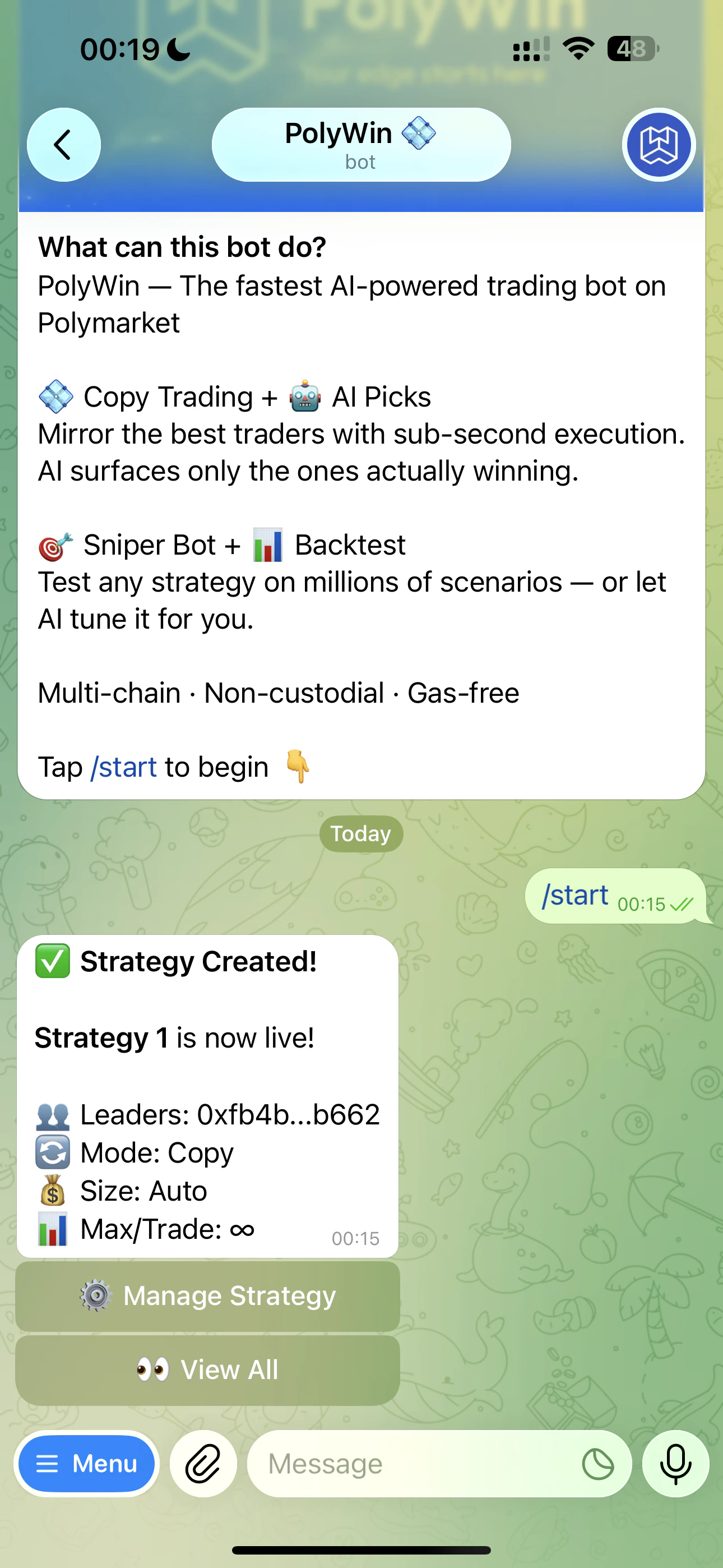 After creation you can fine-tune everything from the strategy's **Settings** screen — wallet, mode, multiplier, max per trade, price range, plus advanced settings like daily caps and category filters.
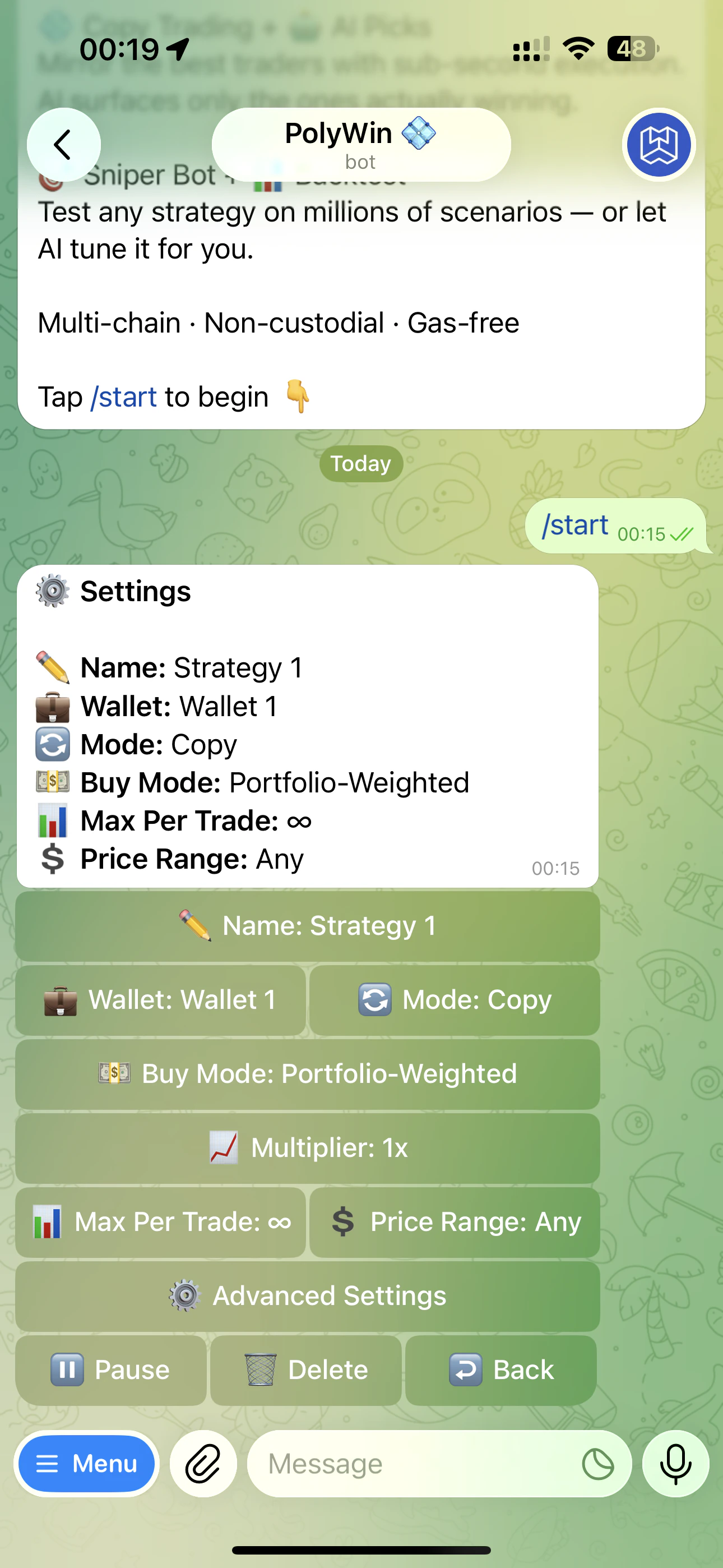 You can edit any setting at any time. Edits apply to future trades only — open positions are unaffected.