> ## Documentation Index
> Fetch the complete documentation index at: https://docs.polywin.bot/llms.txt
> Use this file to discover all available pages before exploring further.
# Quickstart
> From zero to your first trade in three steps.
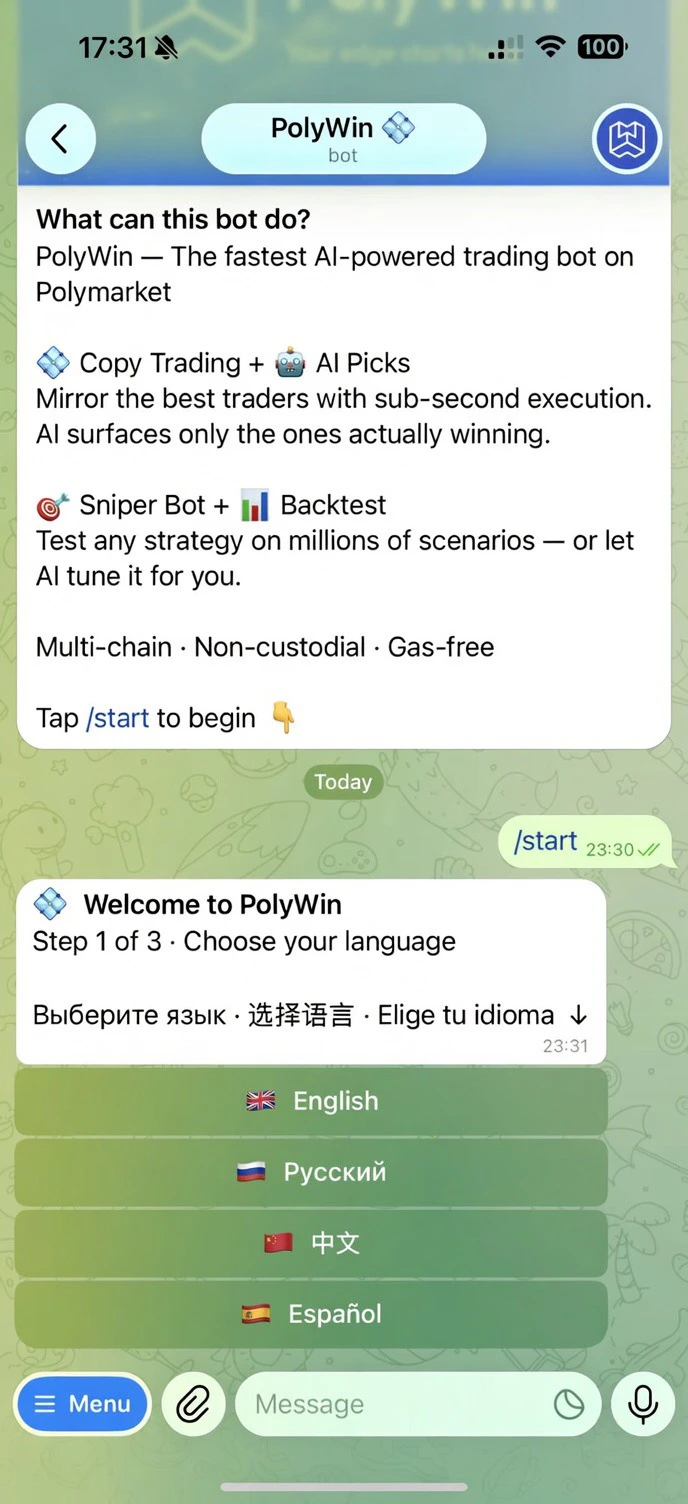
Tap [Launch PolyWin](https://t.me/poly_winbot?start=7265081367) on Telegram and press **Start**. Pick your language to continue — English, Русский, 中文, or Español.
 PolyWin generates a non-custodial wallet for you instantly. You control it. You can export the private key any time.
Deposit from any of 10 supported chains — assets are auto-bridged and swapped to Polygon USDC. Once funds arrive, browse markets, follow a top trader, or set up a sniper.
PolyWin never holds your funds. Your wallet is yours from the first second.
## Pick your path
Browse AI Picks, find a winner, copy with one tap.
Set up a Final or Reversal snipe in under a minute.
Browse 50+ market categories and place your own trades.
PolyWin generates a non-custodial wallet for you instantly. You control it. You can export the private key any time.
Deposit from any of 10 supported chains — assets are auto-bridged and swapped to Polygon USDC. Once funds arrive, browse markets, follow a top trader, or set up a sniper.
PolyWin never holds your funds. Your wallet is yours from the first second.
## Pick your path
Browse AI Picks, find a winner, copy with one tap.
Set up a Final or Reversal snipe in under a minute.
Browse 50+ market categories and place your own trades.