

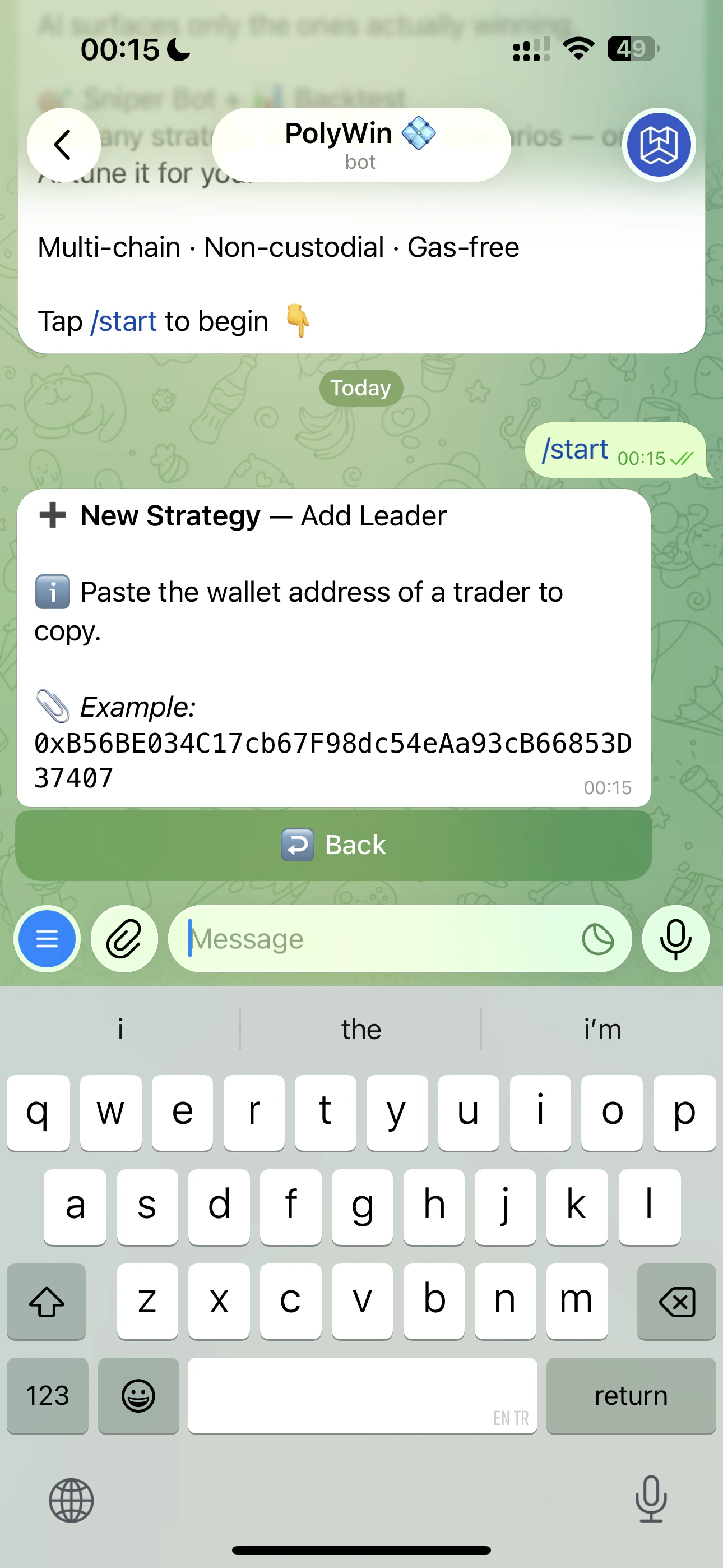
Paste a leader's wallet address — first step of strategy creation
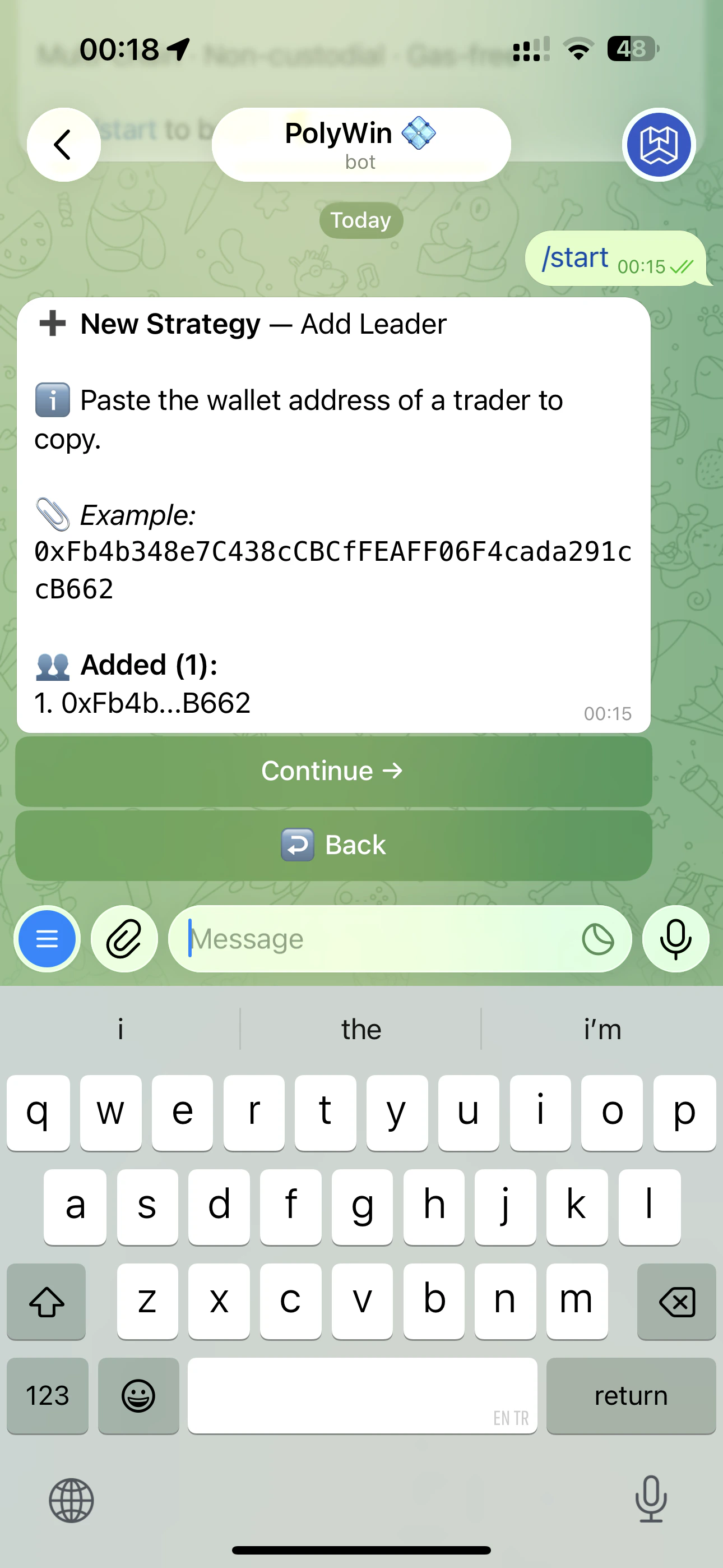
Multiple leaders attached to the same strategy
Three ways to add a leader
- Paste an address
- From AI Picks
- From Hall of Fame
Open the strategy → Add Leader → paste any Polymarket wallet address. PolyWin verifies it on-chain and pulls their stats.
Manage leaders
Open the strategy’s expanded view (tap the strategy card from the Copy Trade Hub) to see every leader you’re following, with per-leader stats and quick actions.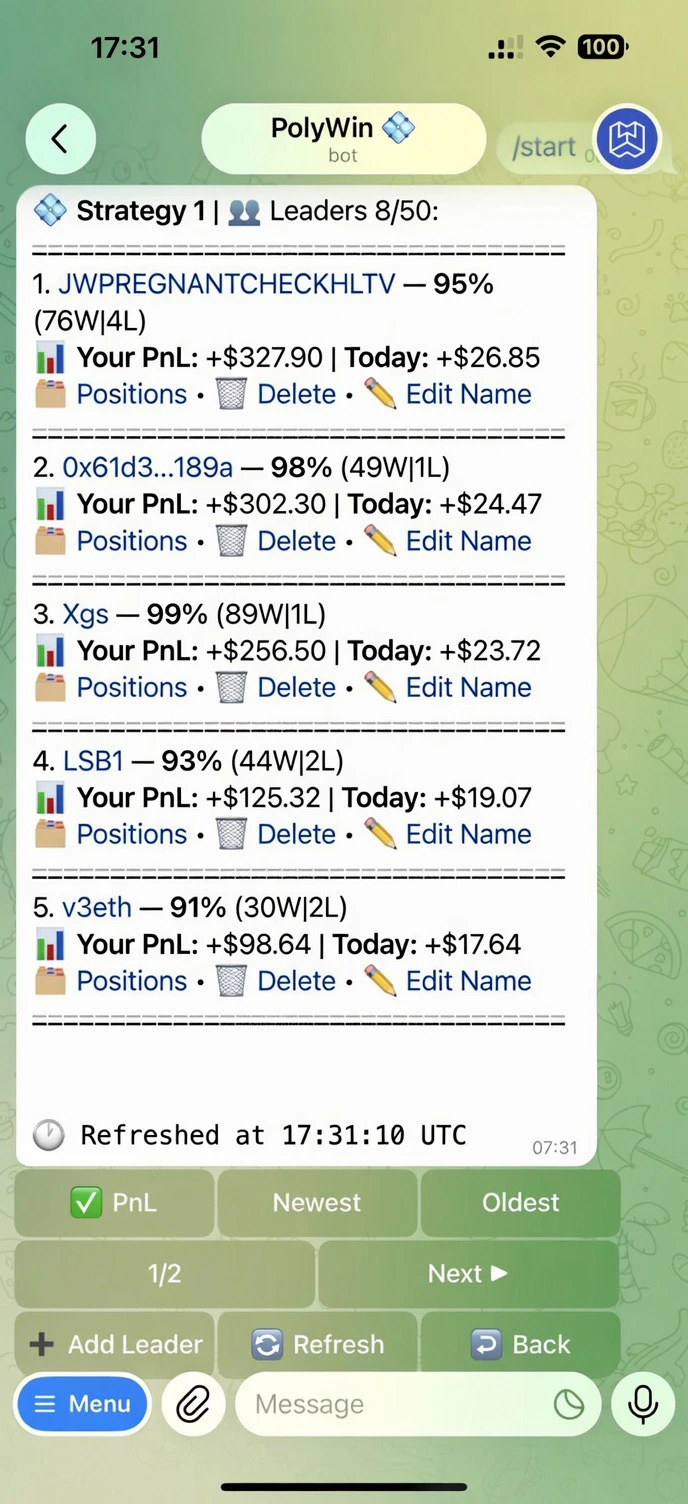
Strategy 1 with 8 leaders — sorted by your PnL
- 📂 Positions — open the positions list scoped to that one leader
- 🗑 Delete — remove the leader (existing copied positions stay open)
- ✏️ Edit Name — give the leader a nickname for your own reference
PolyWin auto-removes leaders that go inactive. You can configure the inactivity window in the strategy settings.