

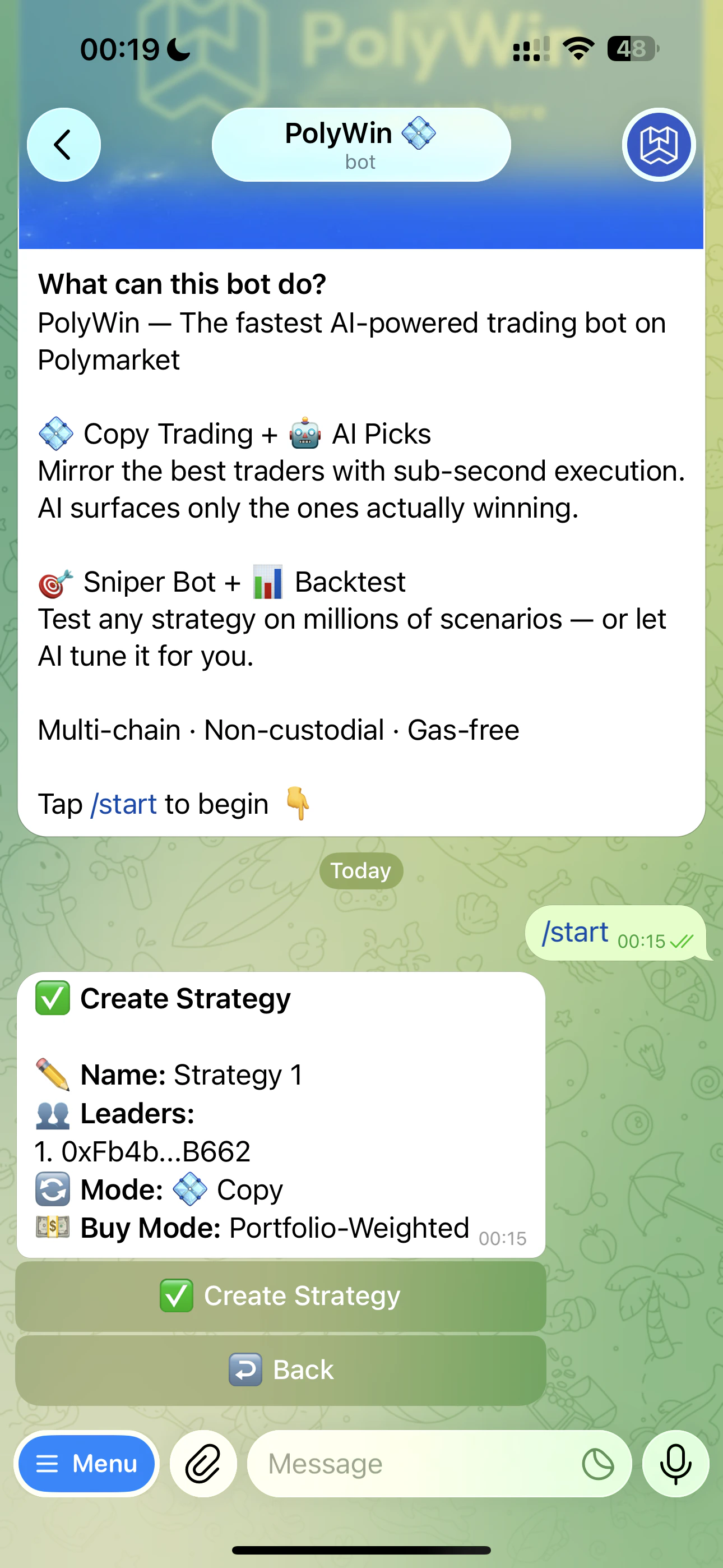
Strategy summary right before you confirm
1
Open the Copy Trade Hub
Tap 💠 Copy Trade from the main menu, then ➕ Add Strategy.
2
Add at least one leader
Paste a Polymarket wallet address. PolyWin verifies it on-chain. You can add more leaders later. See Add Leaders.
3
Name the strategy
Pick anything — “Sports Mirror,” “Safe Bets,” whatever helps you find it later. Max 50 characters.
4
Pick a Buy Mode
Fixed dollar, percentage of leader’s trade, or Portfolio-Weighted. See Sizing Modes.
5
(Portfolio-Weighted only) Pick a multiplier
Presets
0.3x · 0.5x · 1x · 2x · 5x · 10x or set any custom value from 0.01 to 10. 1x mirrors exactly.6
Set a price range
Filter out trades outside your comfort zone — e.g.
5¢–95¢ to skip both very long-shots and near-resolutions. See Filters.7
Confirm
Review the summary and tap ✅ Create Strategy.
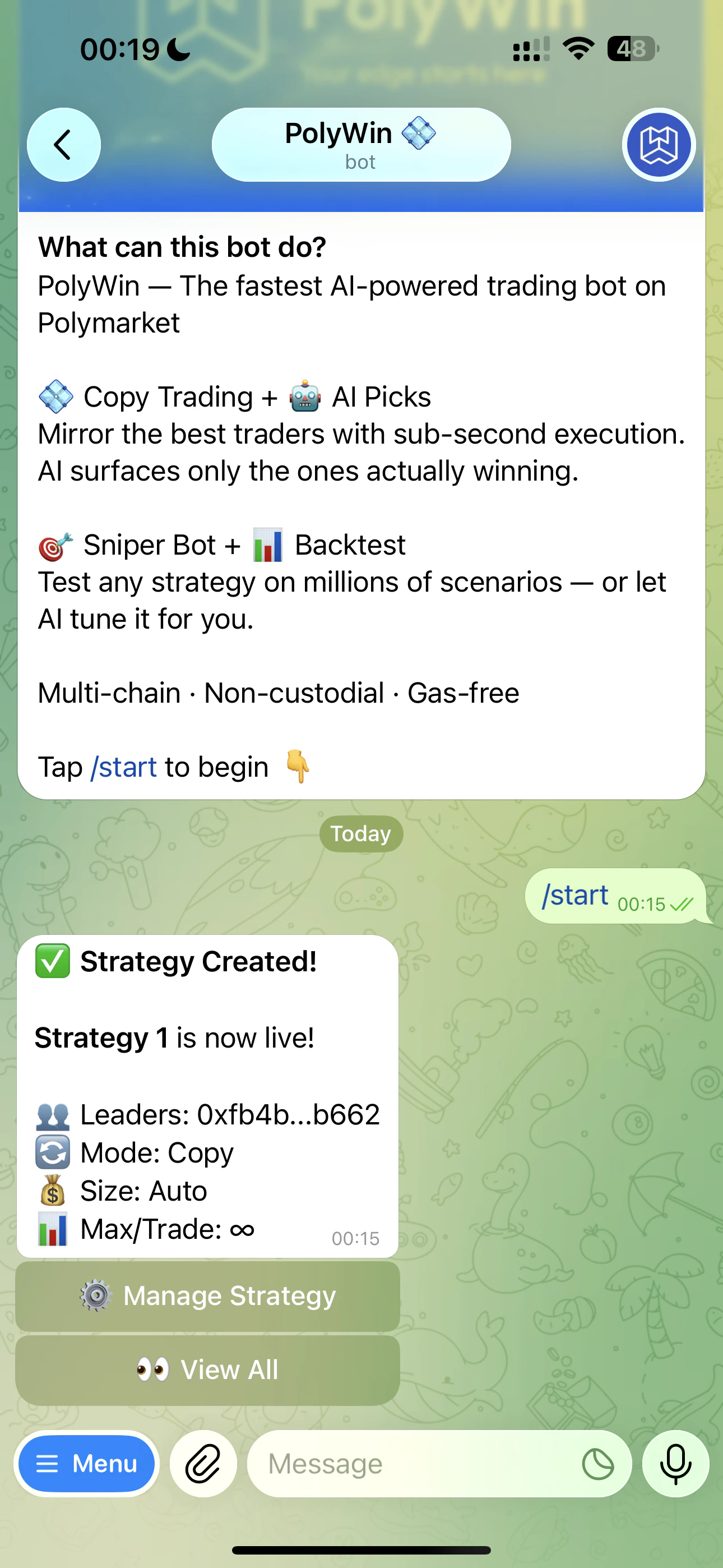
Strategy created — now live and watching every leader trade
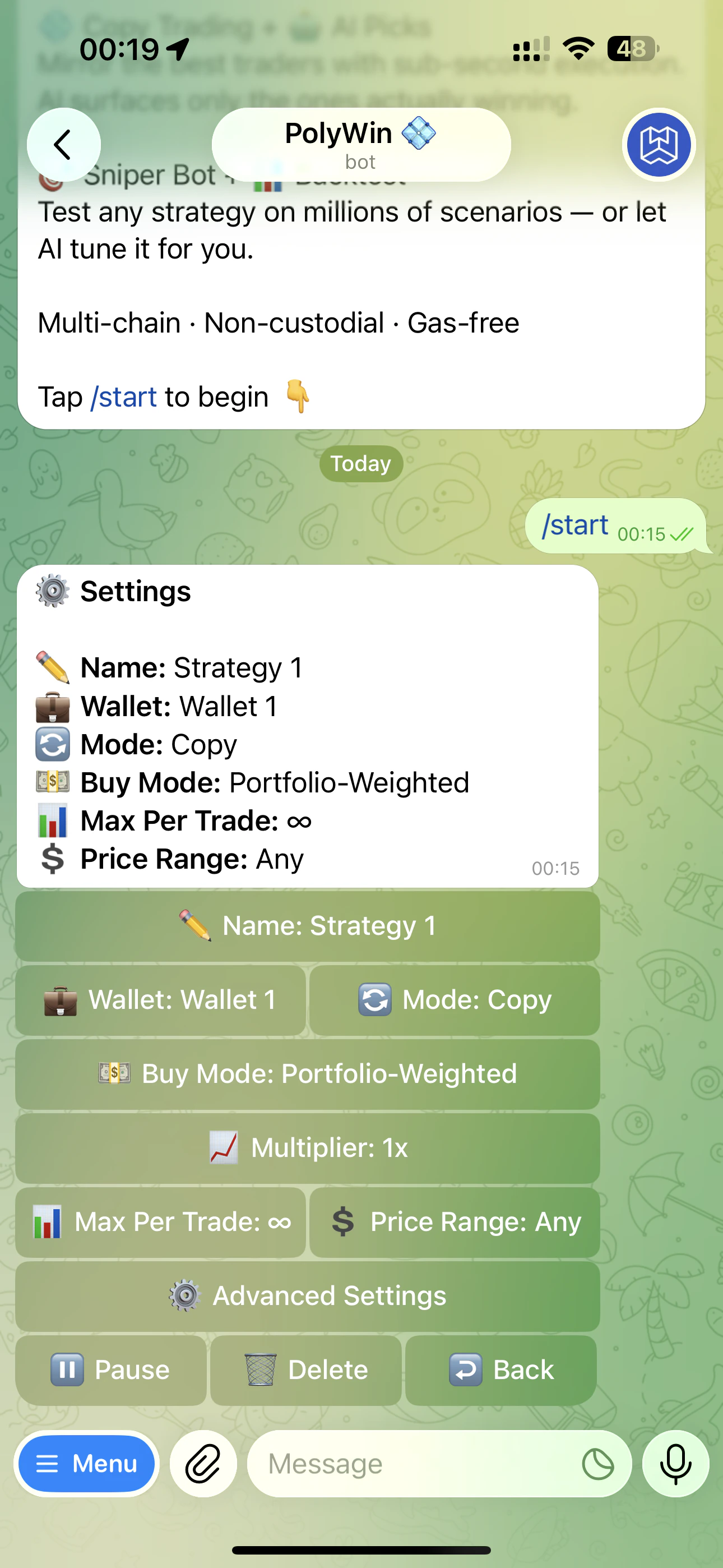
Per-strategy settings panel
You can edit any setting at any time. Edits apply to future trades only — open positions are unaffected.