

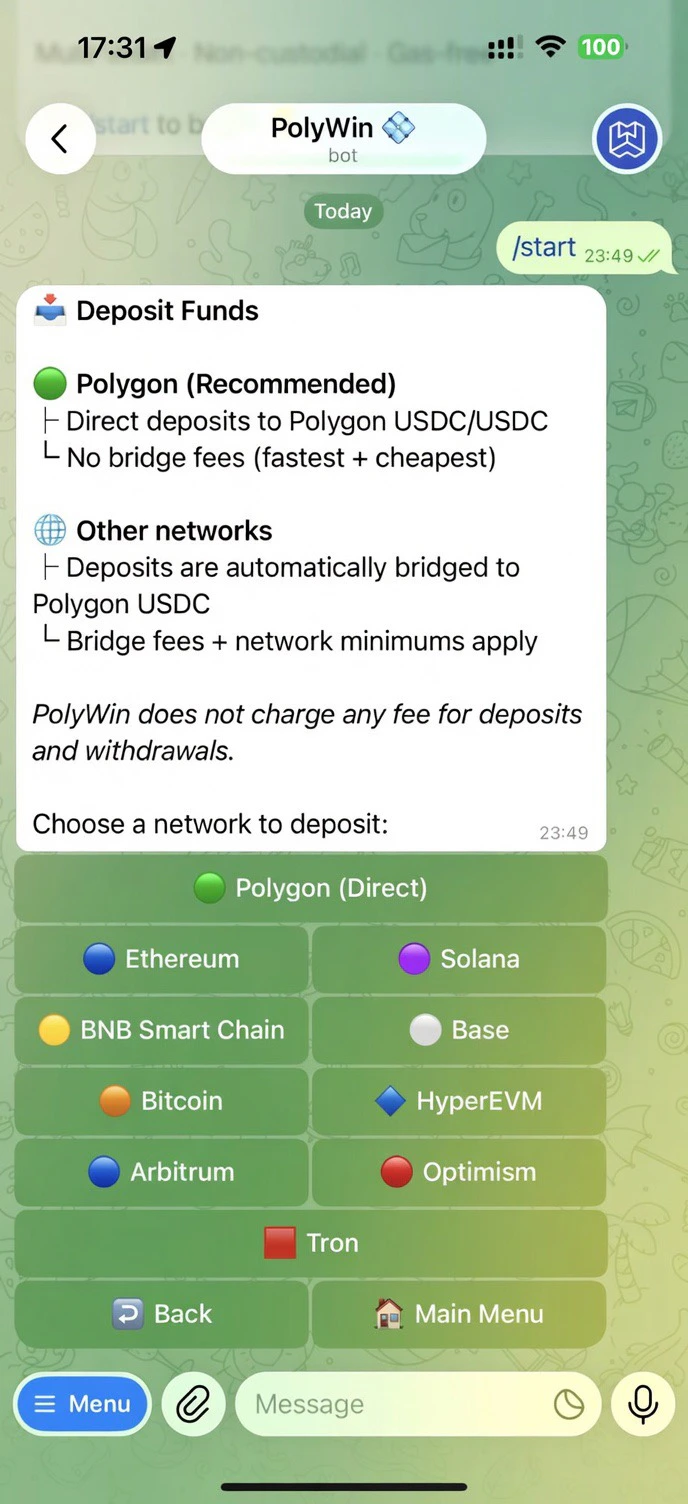
Pick a network — Polygon is recommended (no bridge fee)
Supported chains
Polygon is recommended. It’s the only direct-deposit option — no bridge fees, fastest settlement. Everything else is bridged and swapped automatically to Polygon USDC.
How to deposit
1
Open the Wallet hub
Tap 🏦 My Wallets from the main menu.
2
Tap Deposit and pick a network
PolyWin shows your unique deposit address for that chain.
3
Send from your source wallet
Send any amount of a supported asset above the network minimum.
4
Get notified
You’ll receive a notification the moment the deposit lands and is credited as USDC on Polygon.
PolyWin charges $0 on deposits and withdrawals. Bridge providers may charge a small fee for non-Polygon networks — that’s why Polygon is recommended.