

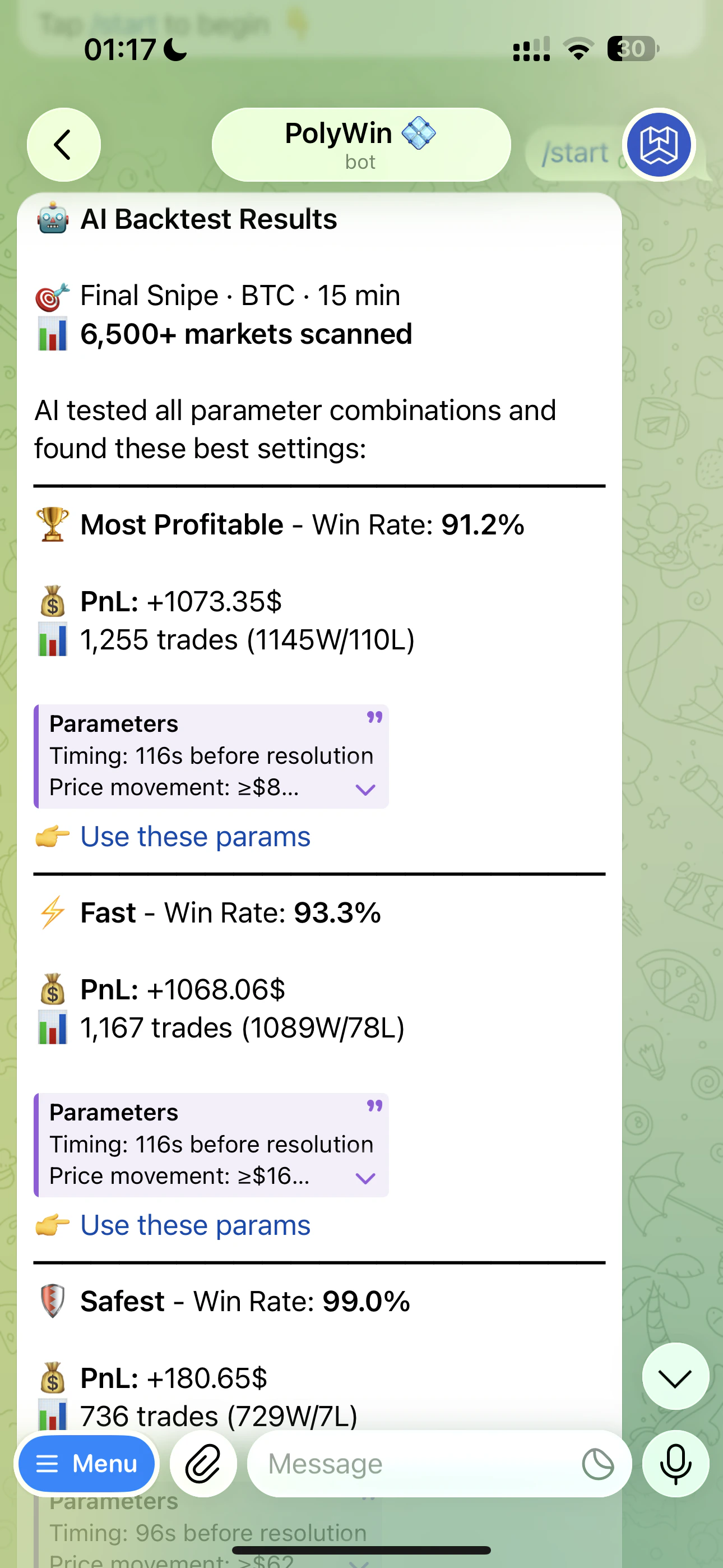
AI Backtest Results — Most Profitable, Fast, and Safest cards stacked top-to-bottom
What gets tested
- Every asset (BTC, ETH, SOL, XRP, BNB, DOGE, HYPE)
- Every timeframe (5m, 15m, 1h, 4h)
- A rolling data window per timeframe (5m: 7 days · 15m: 14 days · 1h: 14 days · 4h: 30 days)
- Thousands of parameter combinations across timing, price movement, and direction
How to run one
1
Build your strategy
Fill out the form for Final or Reversal Snipe.
2
Tap Backtest
A progress bar animates through three stages:
- 📥 Loading market data…
- ⚙️ Computing signals…
- ✨ Finalizing results…
3
Read the results
You get three ranked cards — one each for Most Profitable, Fast, and Safest playstyles.
4
Use or adjust
Tap the Use these params link on any card to build a sniper from it, or tweak the form and re-run.
The three categories
Every AI backtest returns up to three cards so you can pick the playstyle that fits you.🏆 Most Profitable
🏆 Most Profitable
The combination with the highest PnL across the window, regardless of timing.
⚡ Fast
⚡ Fast
Highest PnL among combos that fire close to market resolution (timing within the first 25% of the window). Lower exposure, quicker in/out.
🛡️ Safest
🛡️ Safest
Highest PnL among combos with a 99% or higher historical win rate. The boring-but-reliable pick.
Quality gates filter out thin or losing combos automatically. Each qualifying combo must have positive PnL, fire on at least 10% of markets, and meet a minimum ROI. If no combo meets the Safest bar, that card is simply omitted.
How to read the numbers
What PnL, trade count, and Win Rate mean — and how to pick a card.