

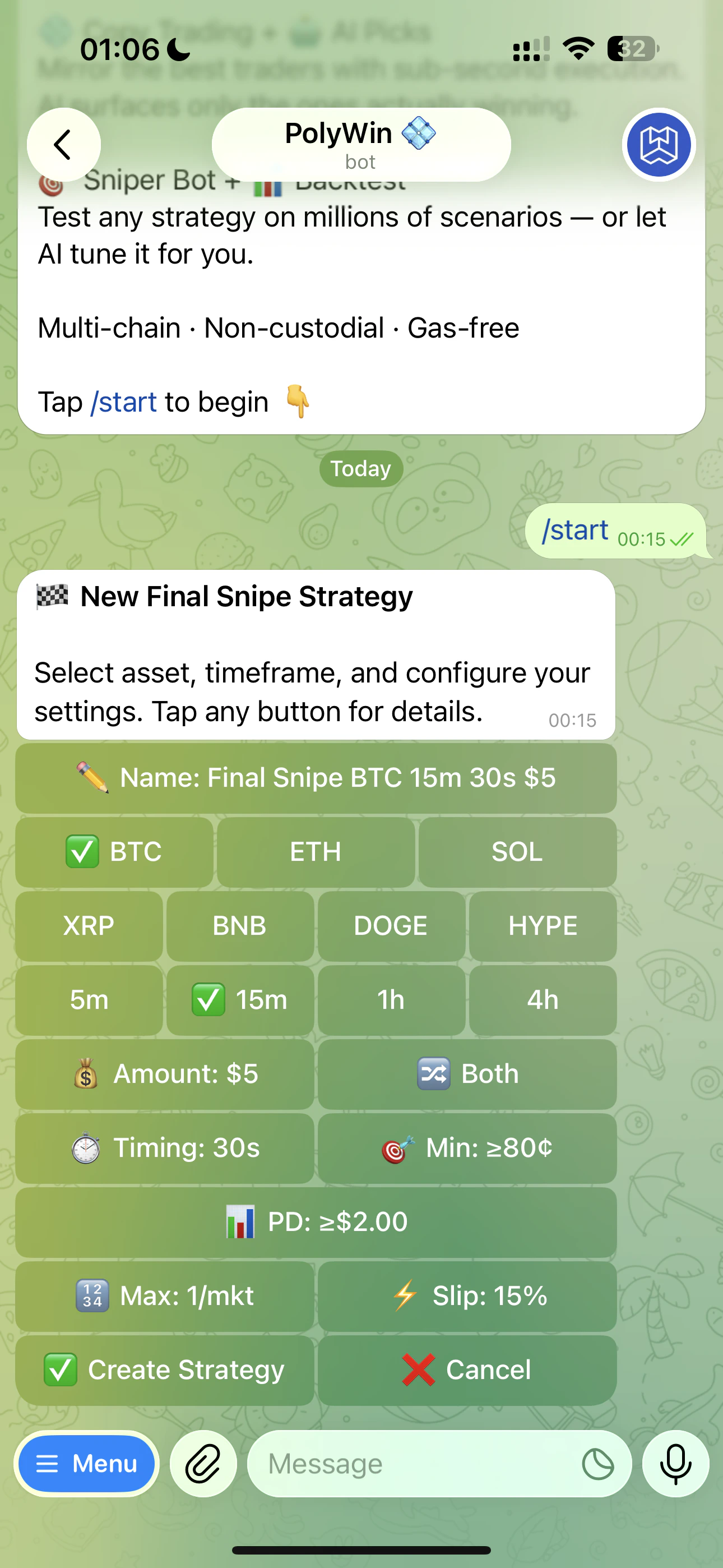
New Final Snipe Strategy form — auto-named summary on top, every knob below
1
Pick an asset
Row 1: BTC · ETH · SOL. Row 2: XRP · BNB · DOGE · HYPE.
2
Pick a timeframe
5m, 15m, 1h, or 4h. (HYPE skips 1h — not supported.)
3
Pick a direction
🔀 Both · 📈 Up only · 📉 Down only.
4
Set entry conditions (optional)
- ⏱ Timing — only trigger inside a specific window of the candle (default 30s before resolution)
- 🎯 Min price to buy — only fire if shares cost at least this much (price floor, e.g.
≥80¢skips long-shots) - 📊 Price movement (PD) — minimum 2.00
); for Reversal it's the **maximum** acceptable move (≤$X`)
5
Set trade size (Final) or ladder budget + range (Reversal)
Final Snipe: fixed USD amount per trigger. Reversal Snipe: ladder price range (min/max), number of levels (1–50), and total USD budget.
6
Open advanced settings (optional)
🛒 Max trades per market, ⚡ slippage tolerance.
7
Create the strategy
Tap ✅ Create Strategy. PolyWin watches 24/7 and fires when conditions hit. Backtest separately from the parent hub via ▶️ Manual Backtest or 🤖 AI Backtest before or after activation.
Strategy names auto-generate (e.g. “Final Snipe BTC 5m 30s $10 · TOP”). The track suffix (
· TOP / · FAST / · SAFE) tells PolyWin which preset bucket your strategy belongs to. Rename anytime from the strategy card.💡 Recommendation Nudge
When you open an existing strategy’s edit form, you may see a yellow 💡 Recommendation block at the top: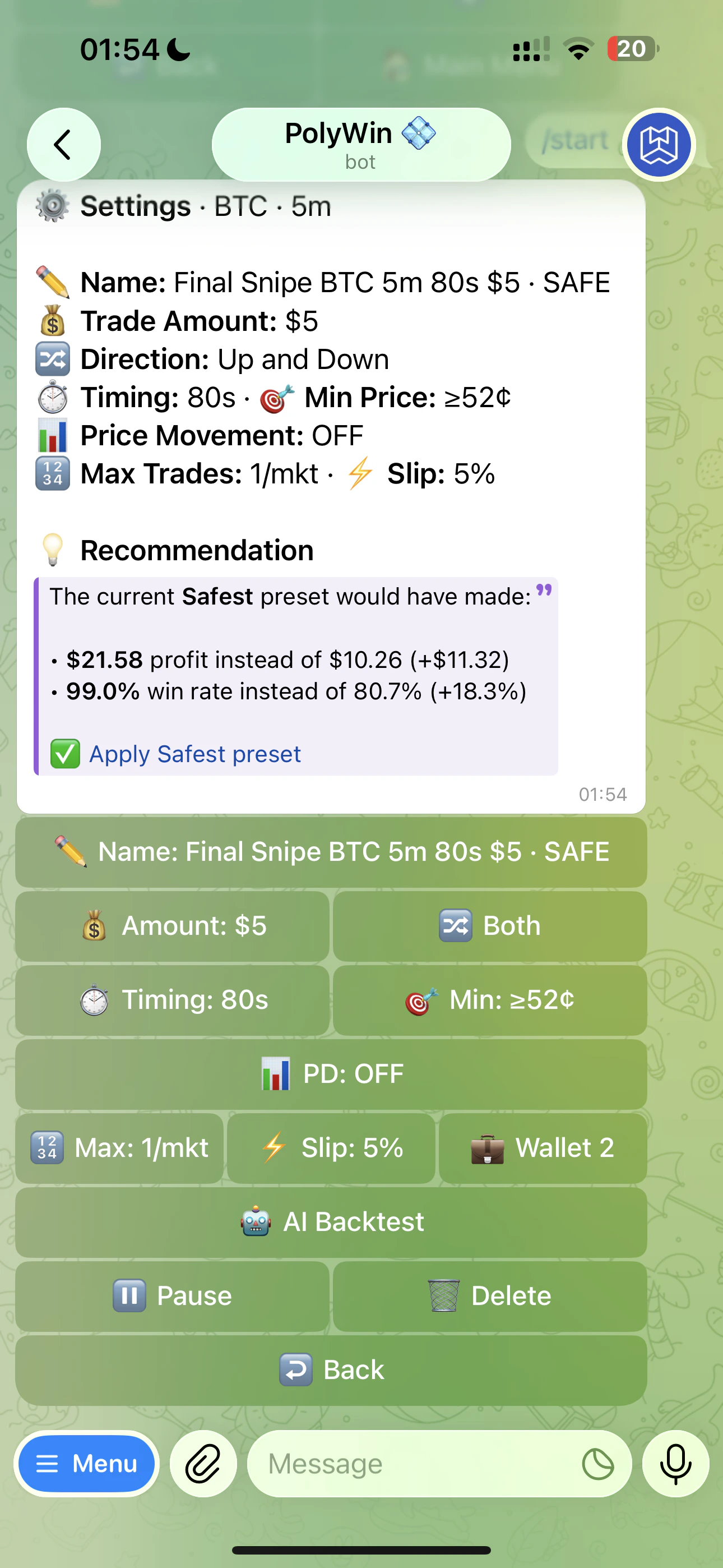
Real nudge on a SAFE-track strategy — Apply link is in the bubble, not the keyboard
- PnL delta — what the recommended preset would have earned vs your current setup, scaled to your trade amount
- Win rate delta — and how the win rate compares
- ✅ Apply preset — a one-tap link that overwrites your params with the recommended ones
The nudge only fires when the difference is meaningful. If your params already beat the canonical preset, you won’t see one.