

Buy
1
Pick a side
Tap 🟢 Buy YES X¢ or 🔴 Buy NO X¢ from the market detail screen.
2
Pick a size
Use a preset (50 · 5 and $10,000. The bot previews how many shares you’ll get before you commit.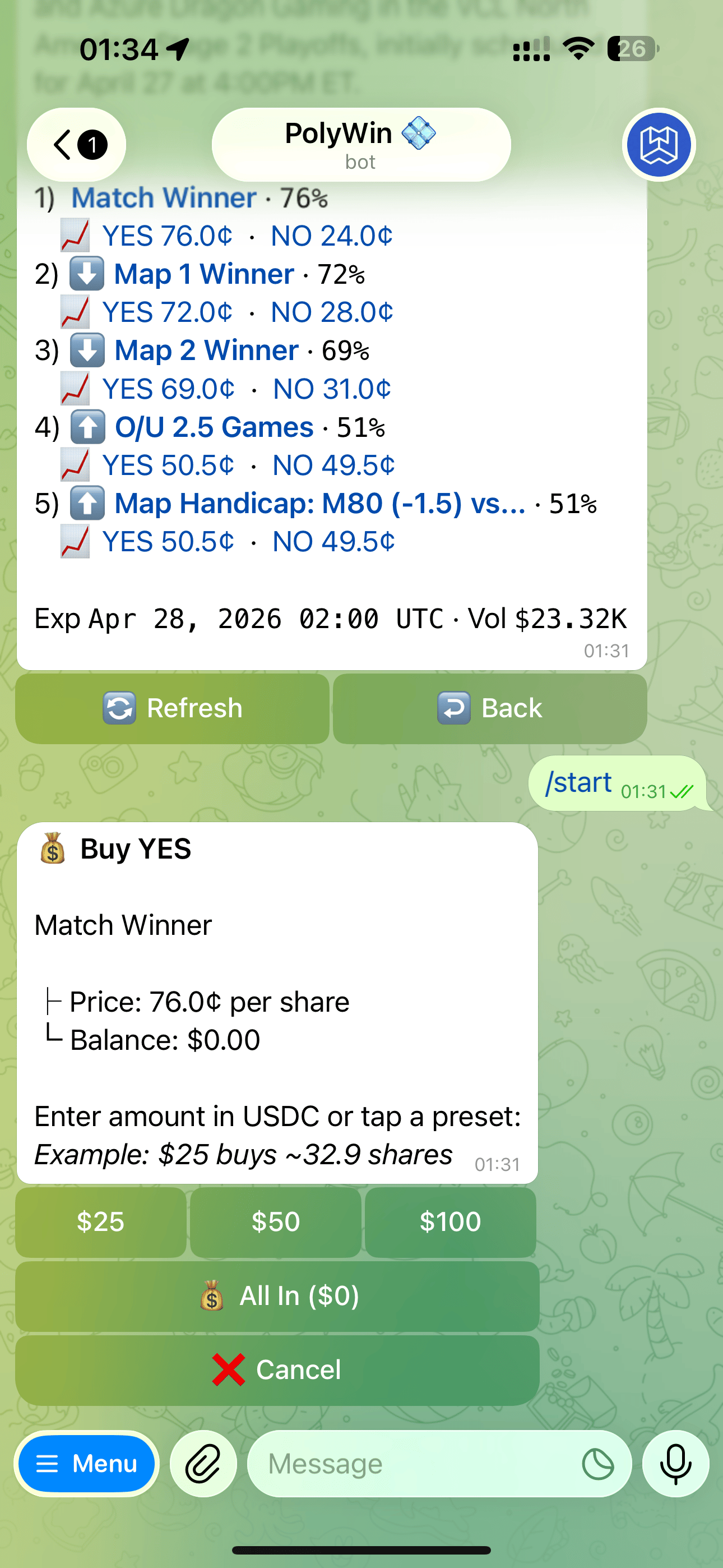
Buy YES sizing screen — presets, All In, or type a custom amount
3
Confirm
Your order fills as a market order. You’ll see the total position size on success.
Sell
Sells happen from the Positions Hub, not the market detail.1
Open Positions
Tap 📊 Positions from the main menu.
2
Pick a position
Tap any open position to see its detail.
3
Sell
Sell 100%, or use partial sell presets (25% / 50% / 75%).
Default slippage is set silently. If the book can’t fill you within tolerance, the order is rejected and your funds stay safe.